✦ Character moments
A new reaction in one tap.
Choose a ready-made mood or describe a new scene. Glowmoji keeps the character and changes the moment.
AI character maker for iPhone
Create your own character once, then bring them back for every mood, moment, and inside joke. Same recognizable look. A whole new way to react.

Same character, new moment
Glowmoji remembers the visual anchors that make your character recognizable—their shape, colors, and signature accessories—while every expression and scene gets to feel new.





Made by you, remembered by Glowmoji
Name the shape, colors, and details that make them one of a kind.
Go glossy, handmade, playful, electric—or somewhere completely unexpected.
Pick a mood or write a new moment. Every save grows their personal sticker pack.
More than a character maker
Choose a ready-made mood or describe a new scene. Glowmoji keeps the character and changes the moment.
Need one perfect oddly specific reaction? Turn any text prompt into a transparent custom emoji without saving a character.
From polished 3D to doodles and pixels, every style is built for expressive, sticker-ready results.

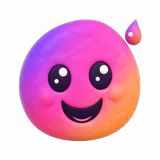




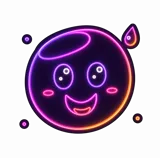

Send stickers in iMessage, export a pack to WhatsApp, save transparent PNGs, or share wherever the moment takes you.
Start free
Create your first character and try Glowmoji without an account or payment card. Upgrade only when you want more.
Get Glowmoji for iPhonePrivate by default
No sign-up. No public feed, follower counts, or user-to-user messaging. Your characters and creations stay in your private Library until you choose to share them—and you can delete your Glowmoji data from Settings.
Good to know
A character is a reusable identity with a name, signature style, colors, and accessories. Glowmoji brings that identity into new moods and scenes. A one-off emoji starts fresh from a single prompt and is not saved as a character.
AI generation always has some natural variation. Glowmoji is designed to preserve the recognizable traits that matter most while giving each pose and expression room to feel alive.
Yes. You can create your first character and use a limited free generation allowance without an account or payment card.
Use them in iMessage, export packs to WhatsApp, save transparent PNGs, or share them with other apps that accept images and stickers.